HP ProLiant server RAM compatibility
Upgrading your HP ProLiant server’s RAM is one of the most effective ways to boost performance for virtual machines, databases, or high-load applications. However, choosing compatible memory isn’t always straightforward due to differences between ProLiant generations and models.
In this guide, we’ll walk you through how to choose the right RAM for your HP ProLiant server in 2025.
✅ 1. Identify Your HP ProLiant Model
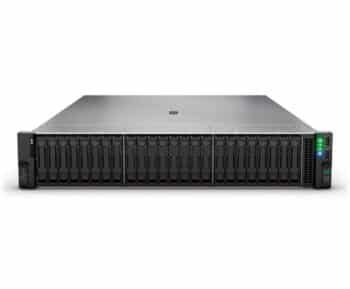
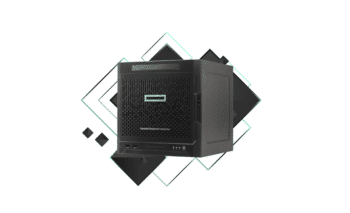
Start by identifying the exact model of your server. Examples include:
- HP ProLiant DL360 Gen10
- HP ProLiant ML350 Gen9
- HP ProLiant DL380e Gen8
You can find this information on the server’s BIOS screen or product label. Each generation may support different memory architectures.
✅ 2. Check RAM Type and Speed
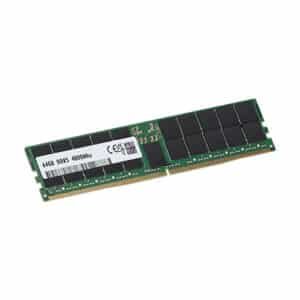
HP ProLiant servers use ECC Registered DIMMs (RDIMM) or Load Reduced DIMMs (LRDIMM). You must match the correct type and generation:
| Generation | Memory Type | Max Speed (MT/s) |
|---|---|---|
| Gen8 | DDR3 ECC RDIMM | Up to 1866 |
| Gen9 | DDR4 ECC RDIMM/LRDIMM | Up to 2400 |
| Gen10 | DDR4 ECC RDIMM/LRDIMM | Up to 2933 |
| Gen11 | DDR5 ECC (limited support as of 2025) | Up to 4800 |
❗ Note: Never mix RDIMM and LRDIMM in the same system.
✅ 3. Understand Channel and Slot Configurations
HP ProLiant server RAM compatibility
- Install RAM in matched sets (dual or quad channel)
- Use the same capacity and speed across modules
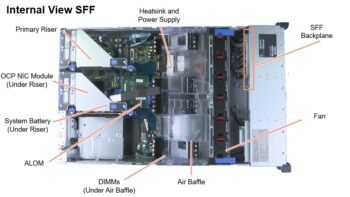
- Follow the slot population order in your server’s manual
Example: DL380 Gen9 has 24 DIMM slots, supporting up to 768GB using LRDIMMs.
✅ 4. Use HP Qualified Memory
While third-party RAM can work, HP-qualified memory modules ensure:
- BIOS-level compatibility
- Better thermal efficiency
- Full support from HP warranty
Look for HP part numbers such as:
- 752369-B21 (32GB DDR4-2133 ECC RDIMM)
- 815100-B21 (64GB DDR4-2400 ECC LRDIMM)
✅ 5. Where to Buy HP ProLiant Server RAM in 2025
You can still find compatible RAM from these trusted sources:
- ServerPartsS.com — Specialist in HP server memory
- HPE authorized resellers
- Amazon or Newegg (from trusted B2B sellers)
- eBay (HP-certified refurbished parts)
Always verify compatibility with your model before buying.
Bonus Tips
- Always update your BIOS firmware before installing new RAM
- Avoid mixing brands and speeds
- For virtualization, prioritize maximum capacity over speed
🧾 Conclusion
Choosing the right RAM for your HP ProLiant server in 2025 requires careful consideration of compatibility, type, speed, and configuration. With the right upgrade, your server can easily handle demanding workloads for years to come.
For high-quality HP server parts, check out ServerPartss.com — your trusted source for enterprise-grade hardware.