Importance of Compatibility in Dell server compatibility chart Performance
When it comes to enterprise IT, compatibility isn’t just a technical detail—it’s the difference between smooth operation and costly downtime. Dell servers, widely used across corporate, government, and data center environments, rely on perfectly matched CPUs, RAM, and storage drives to deliver peak performance. Selecting the wrong processor, memory module, or drive can lead to boot failures, firmware errors, or catastrophic system crashes.
In 2026, businesses are increasingly running AI workloads, virtualization, cloud services, and high-traffic applications. Each of these requires optimized server configurations. A mismatched CPU or unsupported RAM module can slow down virtual machines, increase latency, and even compromise security. Conversely, using genuine Dell OEM parts guarantees compatibility, stability, and access to firmware updates, which are critical for maintaining uptime.
Compatibility also affects scalability. Organizations often upgrade servers incrementally, adding memory, drives, or faster processors over time. Understanding which components are compatible ensures that new upgrades integrate seamlessly without replacing the entire system. Think of it like adding Lego pieces to a pre-built structure—the right piece fits perfectly, the wrong one may collapse the model.
Moreover, in regions like the UAE, where data centers, financial institutions, and government servers demand maximum reliability, adhering to Dell’s compatibility standards is not optional. It ensures that every mission-critical application runs without interruption, whether it’s a real-time analytics dashboard, an ERP system, or a cloud-hosted AI model.
Overview of Dell server compatibility and Their Popularity
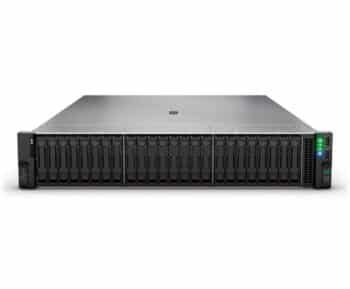
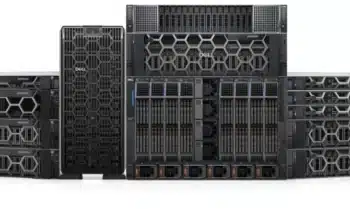
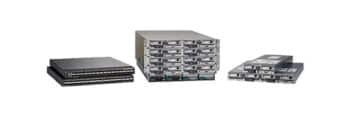
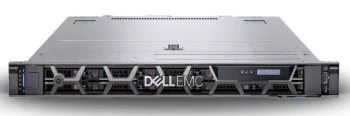
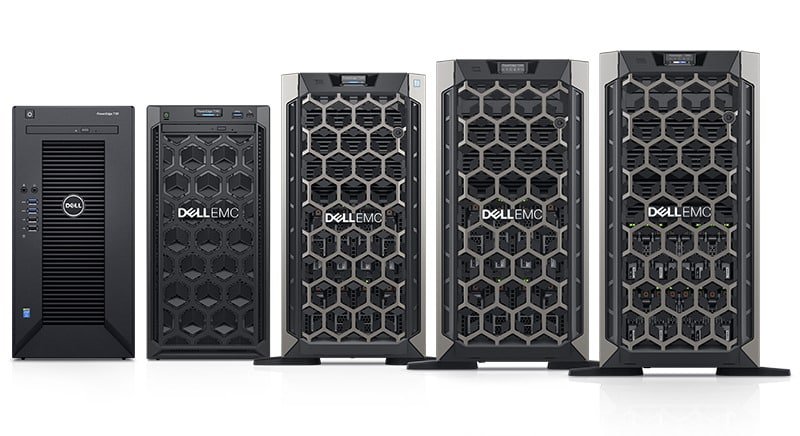
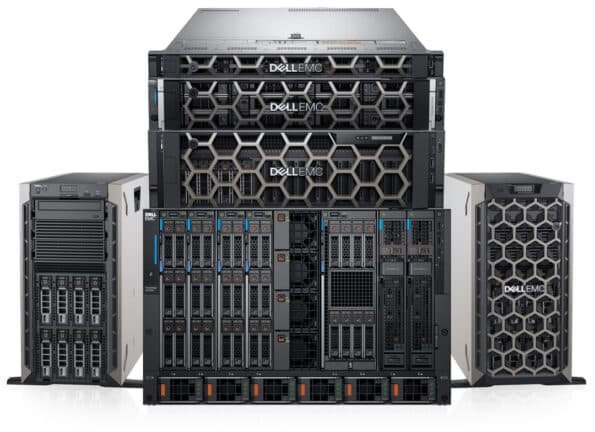
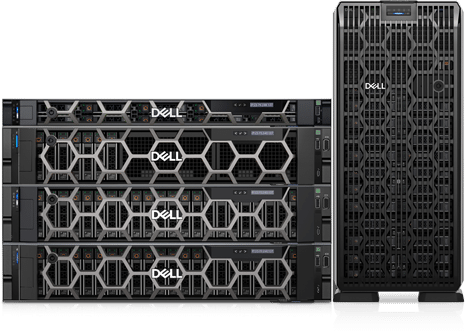
Dell servers, particularly the PowerEdge series, are among the most widely deployed servers in the world and dominate enterprise data centers. Their popularity stems from robust hardware architecture, flexible configurations, and strong OEM support. The PowerEdge lineup includes rack servers (R Series), tower servers (T Series), and modular blade servers (M & FX Series), each designed for specific workloads, space constraints, and performance needs.
Rack servers, for example, are optimized for high-density data centers, offering multiple CPU sockets, high-speed RAM, and extensive storage options. Tower servers are often favored by small-to-medium businesses for office environments due to their simpler installation and ease of maintenance. Blade servers, on the other hand, allow for modular, high-density deployment, perfect for AI and virtualization-heavy workloads.
Dell’s focus on compatibility and OEM parts makes them particularly appealing. Each server model comes with detailed documentation specifying which CPUs, memory modules, and storage drives are supported. This attention to detail reduces guesswork during upgrades and ensures maximum uptime, which is crucial for enterprises operating across multiple time zones.
In 2026, as businesses face increasing digital workloads, knowing exactly which components are compatible with each Dell server model is essential for both IT administrators and procurement teams. That’s where a comprehensive compatibility chart becomes invaluable. It saves time, prevents errors, and ensures that investments in high-performance servers pay off without unnecessary risk.
Understanding Dell server compatibility
CPUs for Dell Servers
When it comes to Dell servers, the CPU is the brain of the system, dictating performance, efficiency, and scalability. Choosing the right processor ensures that servers can handle modern workloads, including virtualization, AI, and high-volume transactions, without bottlenecks.
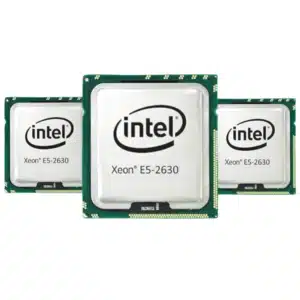
Dell servers primarily support Intel Xeon and AMD EPYC processors, both designed for enterprise-level performance. Xeon processors are renowned for their reliability, high core counts, and extensive virtualization support. They are ideal for applications requiring low latency and consistent multi-threaded performance, such as financial analytics or ERP platforms. AMD EPYC, on the other hand, provides excellent price-to-performance ratios and exceptional multi-core scalability, making it a popular choice for data centers deploying AI or cloud-based services.
Dell provides detailed compatibility matrices, listing which CPU models are supported per server type. For example, a PowerEdge R750 rack server supports certain Intel Xeon Scalable 4th Gen CPUs but may require BIOS updates for newer EPYC processors. Similarly, tower servers may have limitations on CPU thermal design power (TDP) or socket types, making it essential to refer to OEM guidelines before purchasing upgrades.
Dell server compatibility , Intel Xeon Options
Intel Xeon processors used in Dell servers range from entry-level options for light workloads to high-end models with 28 cores or more for enterprise applications. They support features like Turbo Boost, Hyper-Threading, and Intel vPro management, providing enhanced performance and remote management capabilities.
AMD EPYC Options
AMD EPYC processors, increasingly adopted in Dell PowerEdge servers, are optimized for high-density, cloud, and virtualization workloads. With up to 96 cores per CPU, EPYC-based servers excel at parallel processing and are highly energy-efficient—a critical consideration for UAE data centers dealing with cooling and power costs.
RAM Modules
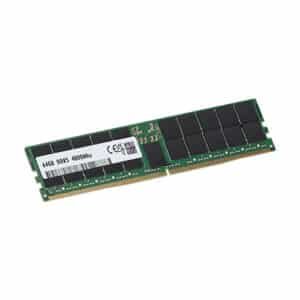
Memory is a critical determinant of server responsiveness and multitasking capability. Dell servers support DDR4 and DDR5 memory modules, often with ECC (Error-Correcting Code) for mission-critical environments. ECC RAM detects and corrects single-bit errors, minimizing the risk of data corruption—a feature indispensable in data centers, financial institutions, and healthcare facilities.
DDR4 vs DDR5
DDR4 memory is still widely used for cost-effective upgrades and supports high-speed operations up to 3200 MHz in most Dell servers. DDR5, however, offers higher bandwidth and lower power consumption, which is beneficial for AI, virtualization, and high-density server deployments. Some 2026 Dell servers now support DDR5 ECC memory, future-proofing infrastructure for next-gen workloads.
ECC vs Non-ECC Memory
ECC memory is mandatory for enterprise-grade Dell servers, as it ensures data integrity and prevents unexpected crashes during high-volume operations. Non-ECC modules are occasionally used in lab or test environments but are not recommended for production workloads due to reliability risks.
Memory capacity also varies by server type. Rack servers may support up to 8 TB of RAM across 32 slots, while tower servers have fewer slots. This is why checking OEM compatibility guides before upgrading or replacing memory modules is crucial.
Storage Drives
Dell servers support a variety of storage drive options, including HDDs, SSDs, and NVMe drives. Choosing the right drive type affects speed, reliability, and overall system efficiency.
HDDs vs SSDs
HDDs are generally used for bulk storage due to their high capacity and lower cost, whereas SSDs offer faster read/write speeds, improving system responsiveness and reducing latency for mission-critical workloads. SSDs are increasingly the standard in UAE data centers due to high-performance demands.
NVMe Options and RAID Support
NVMe drives, using PCIe interfaces, deliver ultra-low latency and high throughput, making them ideal for AI applications, database servers, and virtualized environments. Dell servers also support RAID configurations, which combine multiple drives for redundancy or performance, ensuring data integrity and uptime.
Selecting the correct storage requires checking server model, drive interface (SATA, SAS, NVMe), and bay type (hot-swap or fixed) to ensure seamless compatibility.
Dell Server Compatibility Chart
Creating a Dell server compatibility chart helps IT administrators quickly identify which CPUs, RAM, and drives are supported by specific server models. This chart is essential for upgrades, replacements, and planning future-proof infrastructure.
Rack Servers (PowerEdge R Series)
| Server Model | Supported CPUs | RAM Type & Max Capacity | Drive Type & Bays |
|---|---|---|---|
| R750 | Intel Xeon Scalable 4th Gen, AMD EPYC 4th Gen | DDR5 ECC, up to 8TB | 2.5″ SAS/SATA SSD/HDD, NVMe |
| R650 | Intel Xeon Scalable 4th Gen | DDR5 ECC, up to 4TB | 2.5″/3.5″ SAS/SATA SSD/HDD |
| R550 | Intel Xeon Scalable 3rd/4th Gen | DDR4 ECC, up to 2TB | 2.5″/3.5″ SAS/SATA SSD/HDD |
| R450 | Intel Xeon Scalable 3rd Gen | DDR4 ECC, up to 1TB | 2.5″ SAS/SATA SSD/HDD |
Tower Servers (PowerEdge T Series)
| Server Model | Supported CPUs | RAM Type & Max Capacity | Drive Type & Bays |
|---|---|---|---|
| T650 | Intel Xeon Scalable 4th Gen | DDR5 ECC, up to 2TB | 3.5″/2.5″ SAS/SATA SSD/HDD |
| T550 | Intel Xeon Scalable 3rd/4th Gen | DDR4 ECC, up to 1TB | 3.5″/2.5″ SAS/SATA SSD/HDD |
| T350 | Intel Xeon E-2300 | DDR4 ECC, up to 512GB | 3.5″/2.5″ SAS/SATA SSD/HDD |
Blade Servers (PowerEdge M & FX Series)
| Server Model | Supported CPUs | RAM Type & Max Capacity | Drive Type & Bays |
|---|---|---|---|
| M650 | Intel Xeon Scalable 4th Gen | DDR5 ECC, up to 2TB | Shared SAN storage / NVMe |
| M640 | Intel Xeon Scalable 3rd Gen | DDR4 ECC, up to 1TB | Shared SAN storage / NVMe |
| FX2 | Intel Xeon Scalable 3rd/4th Gen | DDR4/DDR5 ECC, up to 2TB | 2.5″/NVMe drive modules |
Storage and Expansion Compatibility
Dell servers support hot-swappable drives, RAID controllers, NVMe adapters, and expansion cards. Key points include:
- RAID controllers: PERC H755/H755N for NVMe, H345 for SAS/SATA.
- Drive interfaces: SAS, SATA, and NVMe with hot-swap capability.
- Expansion slots: PCIe Gen4/Gen5 for NICs, GPUs, and storage accelerators.
These charts simplify planning upgrades or component replacements, ensuring IT teams select compatible CPUs, RAM, and drives while avoiding downtime.
How to Read and Use the Compatibility Chart
CPU Sockets and Supported Processors
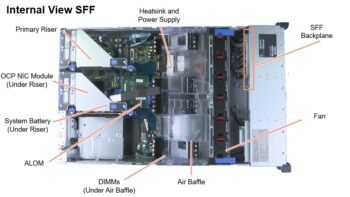
Understanding CPU compatibility starts with identifying the correct socket type for your server. Dell PowerEdge servers use LGA (Land Grid Array) sockets for Intel Xeon processors and SP3/SP5 sockets for AMD EPYC processors.
- Rack servers like R750 may support dual CPU configurations with LGA 4677 sockets for Intel or SP5 for AMD.
- Tower servers often support single or dual CPUs with fewer cores, while blade servers rely on shared infrastructure for multiple blades.
Before upgrading, check:
- CPU generation: Newer Xeon or EPYC CPUs may require firmware or BIOS updates.
- Thermal design power (TDP): Ensure the server can handle the heat output.
- Core count and memory channels: Some processors support more memory channels, affecting RAM compatibility.
By matching the socket type, generation, and thermal profile, administrators can prevent boot errors or performance bottlenecks.
Memory Capacity and Slot Configuration
Memory compatibility involves both module type and slot layout:
- DDR4 vs DDR5: DDR5 modules offer higher bandwidth and lower power consumption, while DDR4 is compatible with older servers.
- ECC vs non-ECC: ECC modules are required for enterprise servers to prevent data corruption.
- Maximum capacity: Dell servers list maximum supported RAM per module and total slots available.
Example: A PowerEdge R750 has 32 DDR5 slots, supporting up to 8TB of memory. Installing non-ECC or unsupported memory modules may prevent the server from booting or reduce reliability.
It’s also critical to check memory rank and speed. Mixing different ranks (single, dual, quad) or speeds can force all modules to operate at the slowest supported speed, reducing performance.
Drive Bays, Interfaces, and Hot-Swap Support
Storage compatibility isn’t just about capacity—it involves physical interface, bay size, and RAID support:
- Drive types: SAS, SATA, NVMe. NVMe drives provide the fastest I/O but require dedicated slots or backplanes.
- Bay size: Servers have 2.5” or 3.5” bays. Ensure drives match the server chassis.
- Hot-swap vs fixed: Hot-swappable drives allow replacement without shutting down the server.
RAID controllers must also match the drive type. For instance, SAS drives require a SAS-capable PERC controller, while NVMe drives need an NVMe-optimized controller. Checking these parameters prevents incompatibility issues and ensures reliable operation.
Tips for Upgrading Dell Servers in 2026
Dell server compatibility, Choosing the Right OEM Parts
When upgrading Dell servers in 2026, choosing genuine OEM parts is non-negotiable. OEM components—CPUs, memory, drives, and RAID controllers—are specifically engineered to work seamlessly with Dell servers. They ensure firmware compatibility, stability under load, and access to Dell’s technical support, reducing the risk of downtime.
Non-OEM parts may seem cost-effective but can lead to boot failures, system instability, or voided warranties. In mission-critical environments such as data centers or financial institutions, these risks are unacceptable. OEM parts also guarantee compatibility with future BIOS and firmware updates, helping administrators plan long-term infrastructure upgrades.
Balancing Performance and Cost
Upgrading servers requires careful evaluation of performance needs versus budget constraints. For example:
- Deploying the latest Intel Xeon 4th Gen or AMD EPYC 4th Gen processors delivers unmatched performance but comes at a higher cost.
- DDR5 ECC memory offers speed and energy efficiency, while DDR4 modules provide a budget-friendly alternative for less demanding workloads.
- NVMe drives significantly boost I/O performance but may not be necessary for archival storage.
The key is to prioritize components for workloads that demand maximum performance and choose cost-effective options for non-critical functions. Proper planning ensures ROI without sacrificing reliability.
Planning for Future Scalability
Future-proofing is critical when upgrading Dell servers. Consider:
- Memory expansion: Ensure the server has enough slots for future RAM upgrades.
- Storage growth: Check bay availability and RAID controller compatibility.
- CPU upgrade paths: Verify which processor generations the server supports, including potential BIOS updates.
- Peripheral and NIC upgrades: Plan for higher bandwidth or GPU accelerators if AI or virtualization workloads increase.
By thinking ahead, organizations can extend server lifespan, minimize disruptions, and adapt to evolving IT demands.
Common Compatibility Issues and Solutions
Memory Errors and Mismatched Modules , Dell server compatibility
Installing unsupported memory modules can cause boot failures or performance degradation. Solution: always check the Dell compatibility matrix for module type, speed, rank, and ECC status. Mixing different types can force all modules to operate at the slowest supported speed.
Dell server compatibility , Unsupported CPUs or Firmware Conflicts
Using processors outside the server’s supported list may prevent boot or limit system functionality. Always verify:
- Socket type and TDP
- Core count and generation
- BIOS/firmware version compatibility
Firmware updates may be required to support newer CPUs, ensuring stability.
Dell server compatibility ,Drive Controller Mismatches
Incorrect RAID controllers or incompatible drives can lead to unrecognized storage or failed arrays. To avoid this:
- Match SAS drives with SAS controllers, NVMe drives with NVMe-compatible PERC cards.
- Verify hot-swap support and physical bay compatibility.
- Always refer to Dell’s storage compatibility guides for each server model.
Addressing these issues proactively ensures smooth upgrades and long-term server reliability.
Conclusion
Understanding Dell server compatibility for CPUs, RAM, and drives is essential for maintaining high-performance, reliable infrastructure in 2026. Whether you are managing a data center, enterprise IT environment, or a cloud deployment, selecting the correct components ensures your servers operate at peak efficiency while minimizing downtime and operational risks.
Dell’s PowerEdge series—including rack, tower, and blade servers—offers flexibility and scalability, but only when paired with the right CPUs, memory modules, and storage drives. Using genuine OEM components guarantees compatibility, stability, and access to firmware updates, which is critical for mission-critical applications. Mismatched or unsupported components can lead to boot failures, reduced performance, or even system crashes.
Upgrading or expanding servers requires careful attention to CPU socket types, RAM capacities, drive interfaces, and RAID compatibility. Planning for future scalability ensures that your infrastructure can handle growing workloads, new applications, and emerging technologies like AI, virtualization, and NVMe storage solutions. Proper maintenance, adherence to Dell’s compatibility charts, and using certified OEM parts are key strategies to future-proof servers.
In 2026, IT administrators and procurement teams can confidently rely on Dell’s comprehensive compatibility charts to make informed decisions. By doing so, organizations can maximize performance, reduce downtime, and extend the lifespan of their servers—ultimately supporting business continuity, innovation, and digital transformation initiatives.
FAQs
1. How do I know which CPUs are compatible with my Dell server?
Check the Dell server’s compatibility chart or technical guide, noting socket type, CPU generation, and TDP requirements. OEM documentation ensures supported processor models.
2. Can I mix DDR4 and DDR5 memory in the same Dell server?
No. DDR4 and DDR5 operate on different memory controllers and are not interchangeable. Always install the type supported by your server model.
3. Are NVMe drives compatible with all Dell servers?
No. NVMe drives require specific backplanes, controllers, and hot-swap bays. Always refer to the server’s storage compatibility chart.
4. Why should I choose OEM parts instead of third-party alternatives?
OEM parts guarantee compatibility, stability, warranties, and firmware support. Third-party parts may be cheaper but can lead to errors or void warranties.
5. How can I future-proof my Dell server upgrades?
Plan for maximum RAM capacity, additional storage bays, supported CPU upgrade paths, and expansion slots for NICs or GPUs. Use OEM components for long-term reliability.