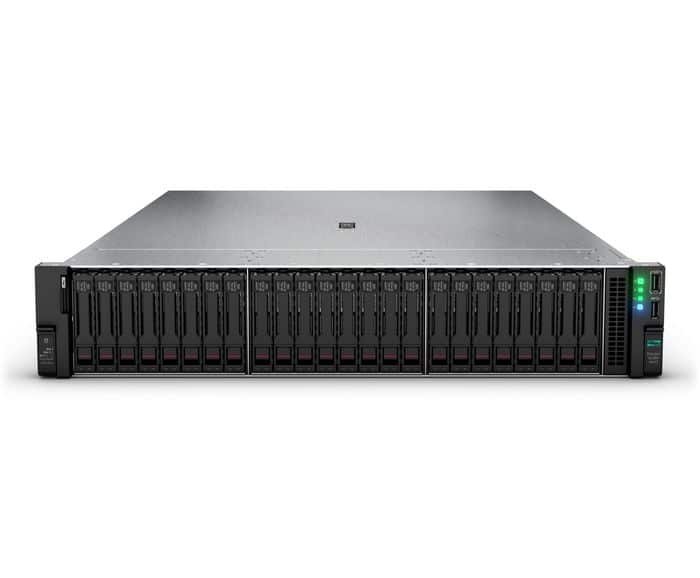
Upgrading storage in an HPE Gen11 Storage Upgrades is one of the most important steps in improving system performance, expanding capacity, and preparing your infrastructure for future workloads. Whether you are deploying virtual machines, running databases, managing enterprise applications, or building a high-performance storage environment, choosing the right HPE Gen11 storage upgrade is not just about adding more drives. It also involves selecting the correct drive cage, backplane, cabling, controller, and chassis-compatible layout.
HPE ProLiant Gen11 servers were designed with flexible storage architecture to support a wide range of deployment needs. Depending on the chassis and server model, Gen11 platforms can support combinations of SAS, SATA, NVMe, U.3, and EDSFF storage configurations. HPE documentation for the DL380 Gen11, for example, shows support for multiple chassis types such as 8SFF, 24SFF, 8LFF, 12LFF, and 12EDSFF, along with optional rear drive bay configurations and different drive cage upgrade paths.
For businesses planning a server refresh or storage expansion, understanding these options is critical. The wrong combination of drive cages and storage accessories can lead to compatibility issues, wasted PCIe resources, cooling limitations, or upgrade restrictions later.
Why HPE Gen11 Storage Upgrades Matter
Modern workloads need more than raw capacity. They need the right balance of:
- Speed
- Redundancy
- Scalability
- Controller support
- Thermal efficiency
- Future upgrade flexibility
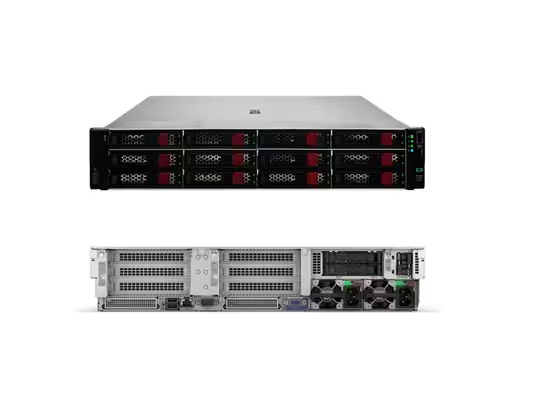
HPE Gen11 servers are built to support these requirements with a modular storage design. This allows businesses to start with a base storage configuration and expand later using front drive cages, rear drive bays, tri-mode storage controllers, and NVMe enablement kits. In official QuickSpecs, HPE notes that the 8SFF chassis can be expanded to support up to 24SFF front bays using several different 8SFF drive cage options, including U.3 tri-mode and SAS/SATA configurations.
That flexibility makes HPE Gen11 servers ideal for organizations that want to scale storage over time without replacing the entire platform.
Understanding HPE Gen11 Storage Upgrades
Before selecting a drive cage solution, it is important to understand the main storage media supported in Gen11 environments.
SAS Drives
SAS drives are still widely used in enterprise environments because they offer excellent reliability, dual-port capabilities, and strong performance for transactional workloads. They are a common choice for RAID-based storage arrays in mission-critical systems.
SATA Drives
SATA drives are often used when cost efficiency and larger capacity matter more than maximum performance. They are suitable for backup repositories, archive storage, and general-purpose file storage.
NVMe and U.3 Drives
NVMe storage delivers significantly lower latency and higher throughput than SAS or SATA. Many HPE Gen11 storage upgrades focus on NVMe because of its value in virtualization, databases, analytics, and demanding application environments. HPE supports several tri-mode drive cage and controller options that help organizations deploy SAS, SATA, and NVMe in flexible configurations. HPE’s Gen11 storage controller portfolio specifically highlights tri-mode support and mixed-mode operation for broader deployment flexibility.
EDSFF Drives
EDSFF is a newer enterprise form factor designed for high-density NVMe deployments. In HPE DL380 Gen11 documentation, HPE lists a 12EDSFF chassis and notes that it can support higher front-drive density, with specific bundle and cable requirements. HPE also states that EDSFF support is tied to designated configurations and upgrade rules, including direct-attach requirements and CPU/cabling dependencies.
What Is an HPE Gen11 Drive Cage?
A drive cage is the physical assembly that holds drives inside the server chassis and connects them to the backplane and storage subsystem. In Gen11 systems, the drive cage plays a major role in determining:
- How many drives can be installed
- Which drive types are supported
- Whether the system supports front or rear drive expansion
- What cables and backplanes are needed
- Which controllers or enablement kits are required
This means a storage upgrade is often not just a “drive replacement.” In many cases, it is a drive cage solution that includes the cage, backplane, cable kit, controller support, and sometimes additional cooling or riser changes.
HPE Gen11 Drive Cage Options
HPE offers several drive cage solutions depending on chassis design and storage architecture. In the DL380 Gen11 QuickSpecs, HPE lists options such as:
- 12EDSFF Drive Cage Kit
- 2U 8SFF x1 Tri-Mode U.3 Drive Cage Kit
- 8SFF U.3 Premium Drive Cage Kit
- 2SFF U.3 HDD Stacking Drive Cage Kit
- 2SFF U.3 Side-by-Side Drive Cage Kit
- 2SFF U.3 Primary/Secondary Riser Cage Kit
- 8SFF x1 Tri-Mode 24G U.3 BC Midplane Drive Cage Kit
- 2U 8SFF x4 U.3 Mid Tray Tri-Mode Drive Cage Kit
- 4LFF SAS/SATA 12G LP Midplane Drive Cage Kit
- 2LFF Primary Riser Cage Kit
These options show why planning is so important. Some upgrades focus on capacity, others on high-performance NVMe, and others on adding rear boot or application storage.
Front Drive Bay and Rear Drive Bay Expansion
One of the biggest strengths of HPE Gen11 platforms is flexible front and rear storage expansion.
According to HPE QuickSpecs for the DL380 Gen11:
- 8SFF chassis can support optional rear drive bay configurations
- 24SFF can support up to 30 SFF drives total with rear drive bay options
- 8LFF can support rear LFF or SFF expansion depending on layout
- 12LFF can support optional rear expansion
- 12EDSFF can also support a rear drive bay option
This flexibility is valuable in real-world deployments. For example:
- Front bays can be used for primary data storage
- Rear bays can be used for boot drives
- NVMe front bays can accelerate application workloads
- Rear SFF or LFF cages can add mirrored OS storage or archive space
Important Compatibility Considerations
HPE Gen11 Storage Upgrades
This is where many buyers make mistakes. Not every Gen11 storage upgrade is a simple drop-in addition.
1. Chassis Type Determines Upgrade Path
An 8SFF chassis is not the same as a 12LFF or 12EDSFF chassis. HPE specifically notes that some chassis types have field-upgrade limitations. For example, the 8LFF chassis cannot be upgraded to 12LFF front in the field.
2. Cable Kits May Be Required
HPE lists dedicated cable kits for several Gen11 storage upgrades, including:
- 12EDSFF CPU1/2 Cable Kit
- 8SFF CPU1/2 NVMe Cable Kit
- 8SFF OROC1/2 x2 Cable Kit
- Tri-Mode Premium Cable Kit
- Tri-Mode Splitter Cable Kit
- LFF Front Tri-Mode Cable Kit
This means that buying only the drive cage may not complete the upgrade.
3. Controller Selection Matters
Storage performance and feature support depend heavily on the controller. HPE’s Gen11 controller family includes tri-mode controllers that support SAS, SATA, and NVMe, along with mixed-mode RAID/HBA operation in many cases. That makes controller choice especially important when designing a Gen11 storage solution for performance, redundancy, or future growth.
4. Cooling and Fan Requirements
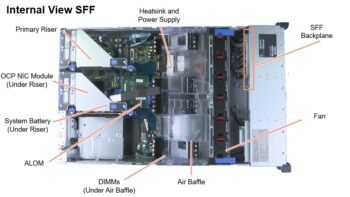
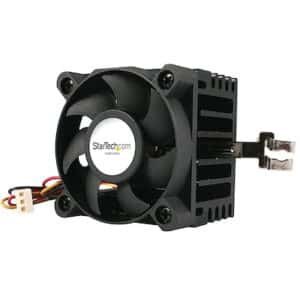
HPE documentation also notes that some storage-heavy or high-performance NVMe configurations may require higher-performance cooling. In the DL380 Gen11 QuickSpecs, HPE states that the Maximum Performance fan kit may be required when using rear drives, high-performance NVMe drives, three drive cages, certain backplanes, GPUs, or higher-power processors.
5. EDSFF Has Special Rules
HPE states that EDSFF configurations have direct-attach requirements and may require additional CPU and cable selections, while also affecting support for some risers and expansion layouts.
How to Choose the Right HPE Gen11 Storage Upgrade
HPE Gen11 Storage Upgrades
The best storage upgrade depends on your workload.
Choose SAS or SATA if you need:
- Large RAID arrays
- Cost-efficient bulk storage
- Reliable enterprise storage for general workloads
- Traditional application or file-serving environments
Choose NVMe or U.3 if you need:
- Low latency
- Fast application response times
- Better performance for virtualization
- Database acceleration
- High IOPS for enterprise workloads
Choose EDSFF if you need:
- Very high-density NVMe deployment
- Advanced next-generation data center design
- Specialized Gen11 storage architecture with proper platform support
Best Practices Before Buying HPE Gen11 Drive Cages
Before ordering an HPE Gen11 drive cage solution, check the following:
- Your exact server model
- Chassis type
- Existing backplane configuration
- Controller compatibility
- Required cable kits
- Rear bay support
- CPU and riser dependencies
- Cooling requirements
- RAID or HBA deployment plan
This is especially important in enterprise upgrades, because a technically correct drive may still fail to fit the intended architecture if the drive cage, cables, or controller are not matched properly.
Final Thoughts
HPE Gen11 storage upgrades offer excellent flexibility for businesses that need to expand capacity, improve performance, or modernize their server infrastructure. But the best results come from understanding the full storage path, not just the drives themselves.
A successful upgrade usually involves more than storage media. It may also require the right drive cage, backplane, controller, cabling, and cooling profile. HPE’s official Gen11 documentation clearly shows that ProLiant Gen11 systems support multiple storage architectures, including SAS, SATA, NVMe, U.3, and EDSFF, with several front and rear drive cage options depending on chassis and workload goals.
For buyers, IT managers, and data center teams, the right approach is to plan the upgrade as a complete storage solution, not as a single spare part. That way, your HPE Gen11 server will be ready for both current workloads and future expansion.
FAQ Section
What is the best storage upgrade for HPE Gen11 servers?
The best storage upgrade depends on your workload. NVMe is ideal for high performance, while SAS and SATA are often better for capacity-focused or RAID-based environments. HPE Gen11 platforms support multiple storage layouts depending on chassis and controller configuration.
Can I add more drive bays to an HPE Gen11 server?
Yes, many HPE Gen11 servers support additional drive cages and rear drive bay options, but compatibility depends on the chassis type, cabling, controller, and internal layout.
Does HPE Gen11 support NVMe drives?
Yes. HPE Gen11 servers support NVMe in several configurations, including tri-mode U.3 and EDSFF-based options on supported models.
What is a tri-mode storage controller in HPE Gen11?
A tri-mode controller supports SAS, SATA, and NVMe devices in a flexible architecture. HPE states that its Gen11 tri-mode controllers can operate in mixed mode to support broader deployment needs.
Do I need cables when upgrading an HPE Gen11 drive cage?
In many cases, yes. HPE lists multiple dedicated cable kits for NVMe, tri-mode, and EDSFF configurations.