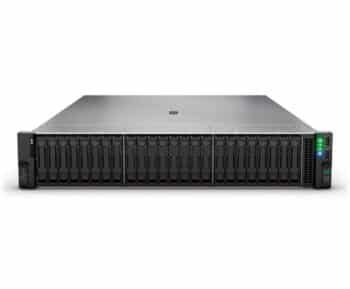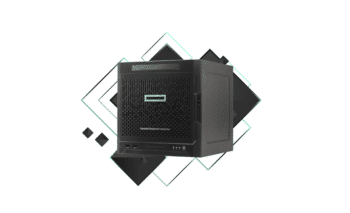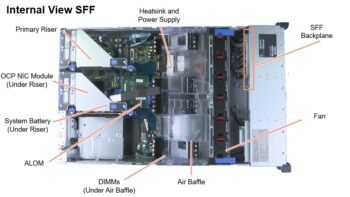
Understanding IBM Server Parts Infrastructure
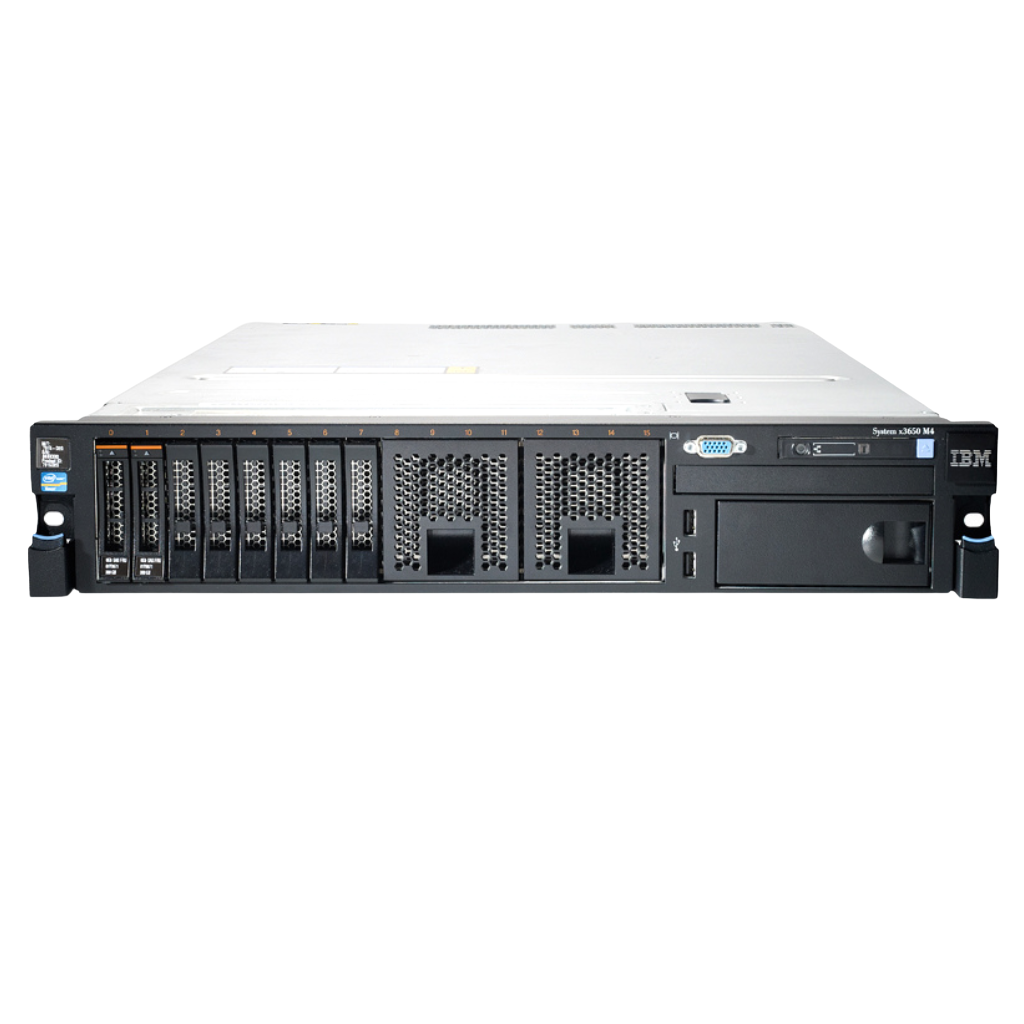
When you’re working with IBM Server Parts (now largely branded under Lenovo ThinkSystem after IBM’s x86 division transition), you’re dealing with hardware built for endurance, stability, and enterprise-grade performance. But even the most reliable systems don’t last forever without upgrades. Over time, workloads increase, applications become more demanding, and what once felt lightning-fast starts to lag behind.
So the real question isn’t whether you should upgrade your server—it’s what to upgrade first to get the best return on investment.
IBM servers are designed with modularity in mind. That means you don’t have to replace the entire system when performance drops. Instead, you can strategically upgrade components like RAM, storage, CPUs, and RAID controllers to extend the life of your infrastructure. This approach is especially valuable for businesses in competitive markets like Dubai, where balancing cost and performance is critical.
Another important aspect is compatibility. IBM Server Parts often have specific requirements for components, especially when it comes to firmware and supported hardware. Ignoring this can lead to performance issues or even system instability. That’s why understanding your server’s architecture before upgrading is essential.
Think of your server like a high-performance car. You don’t replace the whole vehicle just because it’s slowing down—you upgrade the engine, improve the fuel system, or optimize the airflow. The same logic applies here.
Why Upgrading Server Parts Matters
Upgrading your IBM server parts isn’t just about improving speed—it’s about maintaining reliability, security, and scalability. As your business grows, your server needs to handle more users, more data, and more complex processes. If it can’t keep up, you’ll start seeing slowdowns, crashes, and even downtime.
One of the biggest reasons to upgrade is performance optimization. Older hardware can become a bottleneck, especially when running modern applications or virtualization environments. Upgrading key components can significantly boost system responsiveness and efficiency.
Another major factor is cost efficiency. Replacing an entire server is expensive, but upgrading specific parts is far more affordable. For example, adding more RAM or switching to SSD storage can deliver noticeable improvements at a fraction of the cost of a new system.
Security is also a growing concern. Older components may not support the latest firmware updates or security features, leaving your system vulnerable. By upgrading, you ensure that your server stays protected against modern threats.
Finally, there’s scalability. Businesses in the UAE often experience rapid growth, and your IT infrastructure needs to keep up. Strategic upgrades allow your server to handle increased workloads without requiring a complete overhaul.
What to Upgrade First in an IBM Server Parts
1. RAM (Memory) Upgrade – The Fastest Performance Boost ,IBM Server Parts
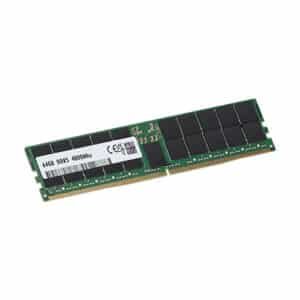
If you’re wondering where to start, RAM is almost always the first upgrade you should consider. It’s one of the simplest and most cost-effective ways to improve server performance.
When your server runs out of memory, it starts using disk space as virtual memory, which is significantly slower. This leads to lag, delays, and reduced efficiency. By increasing RAM, you allow your server to handle more processes simultaneously without slowing down.
For virtualization environments, RAM is even more critical. Each virtual machine requires its own memory allocation, so the more RAM you have, the more VMs you can run smoothly.
In real-world scenarios, upgrading RAM can result in performance improvements of up to 30–50%, depending on the workload. That’s a huge gain for a relatively small investment.
2. Storage Upgrade – Switch to SSD or NVMe
After RAM, the next major upgrade should be storage. Traditional hard drives (HDDs) are significantly slower compared to modern SSD and NVMe drives.
Switching to SSDs can dramatically improve data access speeds, boot times, and application performance. NVMe drives take it a step further, offering even faster speeds by connecting directly to the PCIe interface.
For businesses handling large databases or high-traffic applications, this upgrade can be a game-changer. Imagine reducing data retrieval times from seconds to milliseconds—that’s the kind of impact we’re talking about.
3. CPU Upgrade – When Processing Power Becomes a Bottleneck
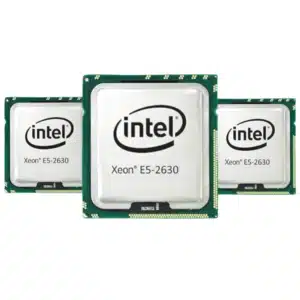
Upgrading the processor (CPU) is a more complex and often more expensive step, but it can be essential for performance-heavy workloads.
If your server is constantly running at high CPU usage, it’s a clear sign that you need more processing power. This is common in environments running analytics, AI workloads, or heavy virtualization.
However, CPU upgrades require careful consideration of compatibility, including socket type and firmware support. It’s not as simple as swapping out a hard drive, but when done correctly, it can significantly boost performance.
4. RAID Controller Upgrade – Improve Data Management
The RAID controller plays a crucial role in managing your server’s storage. Upgrading it can improve data redundancy, speed, and overall reliability.
Modern RAID controllers support advanced features like cache memory and faster data processing, which can enhance storage performance significantly.
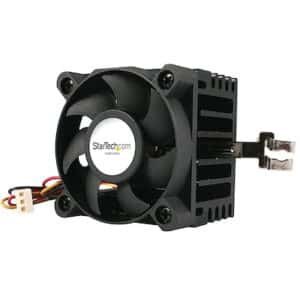
5. Power Supply and Cooling System , IBM Server Parts
Often overlooked, the power supply and cooling system are critical for long-term stability. As you upgrade other components, your server may require more power and better cooling.
Failing to address this can lead to overheating and hardware failures, reducing the lifespan of your upgrades.
Upgrade Priority Table
| Upgrade Component | Impact Level | Cost | Difficulty |
|---|---|---|---|
| RAM | High | Low | Easy |
| SSD/NVMe | Very High | Medium | Easy |
| CPU | High | High | Complex |
| RAID Controller | Medium | Medium | Moderate |
| Power/Cooling | Medium | Low | Easy |
Common Mistakes to Avoid
One of the biggest mistakes businesses make is upgrading the wrong component first. For example, upgrading the CPU when the real bottleneck is storage won’t deliver the results you expect.
Another common issue is ignoring compatibility. IBM Server Parts have strict hardware requirements, and using unsupported components can lead to system instability.
Finally, many businesses overlook the importance of firmware updates. Even the best hardware won’t perform well without proper software support.
Final Thoughts
Upgrading your IBM Server Parts is all about strategy. Start with RAM, move to storage, and then consider CPU and other components based on your workload. This step-by-step approach ensures you get the best performance improvements without overspending.
By making smart upgrades, you can extend the life of your server, improve efficiency, and keep your business running smoothly in a competitive environment.
FAQs
1. What is the first thing to upgrade in an IBM server?
RAM is usually the best first upgrade for immediate performance improvement.
2. Is SSD better than HDD for servers?
Yes, SSDs offer significantly faster speeds and better performance.
3. Can I upgrade IBM server CPU easily?
It depends on compatibility and may require technical expertise.
4. How often should server parts be upgraded?
Typically every 3–5 years, depending on workload and performance needs.
5. Are refurbished IBM server parts reliable?
Yes, if purchased from trusted suppliers with warranty support.
Understanding IBM Server Infrastructure
When you’re working with IBM servers (now largely branded under Lenovo ThinkSystem after IBM’s x86 division transition), you’re dealing with hardware built for endurance, stability, and enterprise-grade performance. But even the most reliable systems don’t last forever without upgrades. Over time, workloads increase, applications become more demanding, and what once felt lightning-fast starts to lag behind.
So the real question isn’t whether you should upgrade your server—it’s what to upgrade first to get the best return on investment.
IBM servers are designed with modularity in mind. That means you don’t have to replace the entire system when performance drops. Instead, you can strategically upgrade components like RAM, storage, CPUs, and RAID controllers to extend the life of your infrastructure. This approach is especially valuable for businesses in competitive markets like Dubai, where balancing cost and performance is critical.
Another important aspect is compatibility. IBM servers often have specific requirements for components, especially when it comes to firmware and supported hardware. Ignoring this can lead to performance issues or even system instability. That’s why understanding your server’s architecture before upgrading is essential.
Think of your server like a high-performance car. You don’t replace the whole vehicle just because it’s slowing down—you upgrade the engine, improve the fuel system, or optimize the airflow. The same logic applies here.
Why Upgrading Server Parts Matters
Upgrading your IBM server parts isn’t just about improving speed—it’s about maintaining reliability, security, and scalability. As your business grows, your server needs to handle more users, more data, and more complex processes. If it can’t keep up, you’ll start seeing slowdowns, crashes, and even downtime.
One of the biggest reasons to upgrade is performance optimization. Older hardware can become a bottleneck, especially when running modern applications or virtualization environments. Upgrading key components can significantly boost system responsiveness and efficiency.
Another major factor is cost efficiency. Replacing an entire server is expensive, but upgrading specific parts is far more affordable. For example, adding more RAM or switching to SSD storage can deliver noticeable improvements at a fraction of the cost of a new system.
Security is also a growing concern. Older components may not support the latest firmware updates or security features, leaving your system vulnerable. By upgrading, you ensure that your server stays protected against modern threats.
Finally, there’s scalability. Businesses in the UAE often experience rapid growth, and your IT infrastructure needs to keep up. Strategic upgrades allow your server to handle increased workloads without requiring a complete overhaul.
What to Upgrade First in an IBM Server
1. RAM (Memory) Upgrade – The Fastest Performance Boost
If you’re wondering where to start, RAM is almost always the first upgrade you should consider. It’s one of the simplest and most cost-effective ways to improve server performance.
When your server runs out of memory, it starts using disk space as virtual memory, which is significantly slower. This leads to lag, delays, and reduced efficiency. By increasing RAM, you allow your server to handle more processes simultaneously without slowing down.
For virtualization environments, RAM is even more critical. Each virtual machine requires its own memory allocation, so the more RAM you have, the more VMs you can run smoothly.
In real-world scenarios, upgrading RAM can result in performance improvements of up to 30–50%, depending on the workload. That’s a huge gain for a relatively small investment.
2. Storage Upgrade – Switch to SSD or NVMe
After RAM, the next major upgrade should be storage. Traditional hard drives (HDDs) are significantly slower compared to modern SSD and NVMe drives.
Switching to SSDs can dramatically improve data access speeds, boot times, and application performance. NVMe drives take it a step further, offering even faster speeds by connecting directly to the PCIe interface.
For businesses handling large databases or high-traffic applications, this upgrade can be a game-changer. Imagine reducing data retrieval times from seconds to milliseconds—that’s the kind of impact we’re talking about.
3. CPU Upgrade – When Processing Power Becomes a Bottleneck
Upgrading the processor (CPU) is a more complex and often more expensive step, but it can be essential for performance-heavy workloads.
If your server is constantly running at high CPU usage, it’s a clear sign that you need more processing power. This is common in environments running analytics, AI workloads, or heavy virtualization.
However, CPU upgrades require careful consideration of compatibility, including socket type and firmware support. It’s not as simple as swapping out a hard drive, but when done correctly, it can significantly boost performance.
4. RAID Controller Upgrade – Improve Data Management
The RAID controller plays a crucial role in managing your server’s storage. Upgrading it can improve data redundancy, speed, and overall reliability.
Modern RAID controllers support advanced features like cache memory and faster data processing, which can enhance storage performance significantly.
5. Power Supply and Cooling System
Often overlooked, the power supply and cooling system are critical for long-term stability. As you upgrade other components, your server may require more power and better cooling.
Failing to address this can lead to overheating and hardware failures, reducing the lifespan of your upgrades.
Upgrade Priority Table
| Upgrade Component | Impact Level | Cost | Difficulty |
|---|---|---|---|
| RAM | High | Low | Easy |
| SSD/NVMe | Very High | Medium | Easy |
| CPU | High | High | Complex |
| RAID Controller | Medium | Medium | Moderate |
| Power/Cooling | Medium | Low | Easy |
Common Mistakes to Avoid
One of the biggest mistakes businesses make is upgrading the wrong component first. For example, upgrading the CPU when the real bottleneck is storage won’t deliver the results you expect.
Another common issue is ignoring compatibility. IBM servers have strict hardware requirements, and using unsupported components can lead to system instability.
Finally, many businesses overlook the importance of firmware updates. Even the best hardware won’t perform well without proper software support.
Final Thoughts
Upgrading your IBM server parts is all about strategy. Start with RAM, move to storage, and then consider CPU and other components based on your workload. This step-by-step approach ensures you get the best performance improvements without overspending.
By making smart upgrades, you can extend the life of your server, improve efficiency, and keep your business running smoothly in a competitive environment.
FAQs
1. What is the first thing to upgrade in an IBM server?
RAM is usually the best first upgrade for immediate performance improvement.
2. Is SSD better than HDD for servers?
Yes, SSDs offer significantly faster speeds and better performance.
3. Can I upgrade IBM server CPU easily?
It depends on compatibility and may require technical expertise.
4. How often should server parts be upgraded?
Typically every 3–5 years, depending on workload and performance needs.
5. Are refurbished IBM server parts reliable?
Yes, if purchased from trusted suppliers with warranty support.